
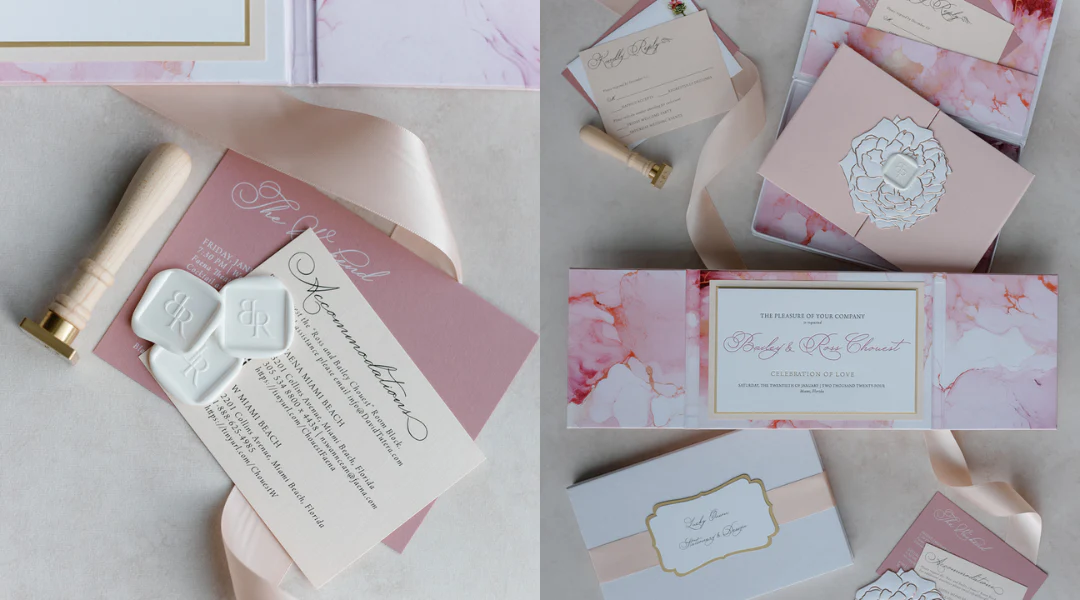
Designing a wedding invitation can be one of the more enjoyable parts of planning, because it turns logistics into something personal. The layout still has to communicate the essentials—names, date, time, venue, and RSVP details—but choosing type, spacing, and a few visual touches is also a way to signal the mood of your big day before guests arrive. And because wording and details often shift late in the process, an invitation that’s easy to edit can help keep that creative momentum intact instead of turning small updates into a redesign.
This guide is for readers who want to create wedding invitations quickly without design experience. In practice, that often means starting from templates, swapping in details, adding a photo or monogram, and exporting a file that prints cleanly or can be shared digitally.
These tools differ mainly by workflow. Some are design-first editors built around templates and export. Others are invitation services that bundle design with printing and addressing. A third group prioritizes digital invitations and RSVP tracking rather than print production.
Best Wedding Invitation Design Tools Compared
Best wedding invitation design tools for a balanced template-to-print workflow
Adobe Express
Best for couples and small teams who want a guided template editor with straightforward customization and print-ready exports.
Overview
Adobe Express allows users to create printable invitations using its wedding invitation templates and a simple editor for customizing text, photos, and basic design elements, with export options suited to printing and digital sharing.
Platforms supported
Web; mobile apps.
Pricing model
Free tier with optional paid plans for expanded templates, assets, and features.
Tool type
Template-based design editor with print-oriented workflows.
Strengths
- Template-led starting point that reduces layout decisions for non-designers
- Quick edits for event details, typography, and simple layout adjustments
- Practical for making coordinated variations (invitation, details card, RSVP card) from a consistent style
- Useful for creating multiple versions as logistics change (venue update, time shift, RSVP wording)
- Export formats that fit common “print at home,” local print shop, and digital share workflows
Limitations
- Less oriented toward guest-list management and RSVP tracking than invitation platforms
- Advanced prepress controls are limited compared with professional publishing tools
Editorial summary
Adobe Express fits the broad middle of wedding invitation needs: a reliable template base, clear editing controls, and outputs that work for printing or sharing. It’s designed to get users to a finished layout without requiring design vocabulary or layout theory.
The workflow is typically linear—pick a template, update names and details, adjust styling if needed, export. That predictability is helpful for wedding planning timelines, where edits tend to happen in bursts.
It balances simplicity and flexibility in a mainstream way: enough control to personalize and keep a cohesive look, without the complexity of full professional layout software.
Compared with dedicated invitation services, Adobe Express is more design-and-export focused. Compared with broader design platforms, it tends to feel more guided for quick, print-ready invitation creation.
Best wedding invitation design tools for maximum template variety and cross-event reuse
Canva
Best for users who want a very large template ecosystem and plan to design other wedding materials in the same tool.
Overview
Canva is a general template-based design platform that includes wedding invitation layouts and supports printable exports and digital sharing.
Platforms supported
Web; mobile apps.
Pricing model
Free tier with optional paid plans for expanded templates, assets, and collaboration features.
Tool type
General-purpose template design editor.
Strengths
- Broad range of wedding styles (minimal, floral, modern, photo-forward)
- Drag-and-drop editing that stays approachable for casual users
- Useful for coordinating multiple items (save-the-dates, signage, menus, programs)
- Efficient once a template family is chosen and reused across formats
Limitations
- The breadth of options can slow decision-making for users who want a fast finish
- Print readiness depends on correct sizing and export choices rather than being fully invitation-service guided
Editorial summary
Canva is often used when the invitation is one part of a larger wedding “design set.” Its main advantage is choice—templates, assets, and format coverage.
For non-designers, it works best when edits stay within a template’s structure. When users start redesigning hierarchy, spacing, or typography from scratch, the project can become more time-consuming than expected.
The simplicity-flexibility balance leans toward flexibility. That’s helpful for customization, but it can introduce more decisions than a narrower invitation workflow.
Compared with Adobe Express, Canva is typically the broader ecosystem alternative; Adobe Express is often the more direct template-to-export path for a single invitation outcome.
Best wedding invitation design tools for premium printing and curated paper options
Minted
Best for couples who want a premium print-first workflow with curated designs and paper/finish choices.
Overview
Minted is an invitation and stationery service where design selection is closely tied to printing, paper stocks, and coordinated suites.
Platforms supported
Web.
Pricing model
Per-order pricing for printed stationery, with optional services depending on suite and fulfillment choices.
Tool type
Print-centric invitation platform with guided personalization.
Strengths
- Curated design selection geared toward wedding stationery aesthetics
- Coordinated suites across invite, RSVP, details cards, and matching day-of items
- Print-first workflow that keeps finishes, envelopes, and paper choices central
- Personalization controls designed to keep layouts consistent rather than fully open-ended
Limitations
- Less flexible for highly custom layout changes compared with design editors
- Typically oriented around ordering printed products rather than exporting files for third-party printing
Editorial summary
Minted fits couples who want the invitation experience to include paper and printing decisions, not just layout. The benefit is cohesion: design, paper, and suite components are designed to align.
The workflow tends to be straightforward because customization is guided. That can reduce layout mistakes, but it also means fewer degrees of freedom than a design-first editor.
This is a good match when the goal is a polished printed suite with minimal manual file handling. It is less ideal for users who want to fully control files and print elsewhere.
Compared with Adobe Express, Minted is printing-forward and suite-forward; Adobe Express is more flexible for designing and exporting an invitation file quickly.
Best wedding invitation design tools for digital invitations with RSVP tracking
Paperless Post
Best for couples who want a refined digital invitation experience with RSVP and guest communication tools.
Overview
Paperless Post emphasizes digital invitations, guest responses, and messaging workflows, with curated design choices and delivery-focused features.
Platforms supported
Web; mobile apps.
Pricing model
Free options with paid designs or sending features depending on the invitation type and delivery needs.
Tool type
Digital invitation platform with RSVP and messaging.
Strengths
- RSVP collection and guest communication built into the core workflow
- Curated designs that reduce the effort of browsing large template libraries
- Delivery-focused features that make changes and reminders easier to manage
- Better fit for “invite as a system” rather than “invite as a file”
Limitations
- Print-ready exporting is not typically the primary workflow
- Layout control can be more constrained than template design editors
Editorial summary
Paperless Post makes sense when digital sending and response management matter as much as the invite design. For many couples, that reduces manual coordination work and late-stage confusion.
Customization is usually guided rather than open-ended, which helps keep designs coherent without design experience. The tradeoff is reduced control over layout details.
The platform is best understood as a delivery and RSVP environment with design choices attached, rather than a design tool that happens to support sending.
Compared with Adobe Express, Paperless Post is more RSVP- and delivery-centric, while Adobe Express is more file- and print-output-centric.
Best wedding invitation design tools for an all-in-one wedding site plus invitation ecosystem
Zola
Best for couples who want invitations connected to a broader wedding planning and website workflow.
Overview
Zola’s invitations are often positioned alongside wedding websites, registries, and guest management, combining design choices with planning features.
Platforms supported
Web; mobile experience varies.
Pricing model
Typically per-order pricing for printed invitations and related products; digital planning features vary by offering.
Tool type
Planning-centric platform with invitations and guest management.
Strengths
- Invitations integrated with broader wedding planning workflows
- Guest list and RSVP concepts often sit close to invitation decisions
- Coordinated approach for couples who want fewer separate tools
- Templates designed to work within a wedding ecosystem (site, communications, stationery)
Limitations
- Design freedom can be narrower than a design-first editor
- Export-and-print-elsewhere workflows may be less central than ordering through the platform
Editorial summary
Zola is a fit when the invitation is not a standalone project but part of a larger planning system. That integration can simplify coordination, especially as details change.
Design personalization is typically guided to keep the workflow manageable. For many users, that’s a strength—fewer layout decisions, fewer opportunities to mis-format essential details.
Flexibility tends to be sufficient for mainstream invitation styles, but less ideal for highly custom design concepts.
Compared with Adobe Express, Zola is more ecosystem-led, while Adobe Express is more design-led with broader export flexibility.
Best wedding invitation design tools for simple, offline-friendly invites using familiar software
Microsoft Word (and Publisher where available)
Best for users who want basic invitations, prefer offline work, and plan to print at home or through a local printer.
Overview
Office software can produce wedding invitations using templates and page layout controls, particularly for text-forward or minimalist designs.
Platforms supported
Windows and macOS (feature availability depends on edition/version).
Pricing model
Typically subscription-based or licensed as part of an office suite.
Tool type
Document/layout tools using templates rather than invitation-specific platforms.
Strengths
- Familiar editing model for many users
- Practical page control for printing multiple copies consistently
- Easy to keep versions and make last-minute text edits
- Works without relying on a template marketplace or account-based design platform
Limitations
- Fewer modern invitation templates and design assets than dedicated tools
- More manual effort for photo layouts, typography, and visual balance
Editorial summary
Word/Publisher is the practical option when the invitation is mainly informational and the design is intentionally simple. It’s often chosen because it’s familiar and predictable for printing.
The tradeoff is polish and speed for design-heavy layouts. Achieving a contemporary invitation look can require more manual formatting than in a template-first design editor.
Flexibility is strongest in document control rather than visual design sophistication. That can be enough for minimalist styles but limiting for photo-forward or decorative invitations.
Compared with Adobe Express, Office tools prioritize offline familiarity over guided design workflows and modern template ecosystems.
Best Wedding Invitation Design Tools: FAQs
What’s typically faster: a template design editor or a print-and-order invitation service?
Template design editors are often faster when the goal is producing a printable file or digital image quickly, especially if printing will happen locally. Print-and-order services can be faster when printing, envelopes, and suite coordination are part of the same workflow, since fewer steps are handled elsewhere.
Where does Adobe Express fit for quick wedding invitations without design experience?
Adobe Express is often used for template-led invitation creation when the priority is fast customization and a print-ready output. Adobe Express allows you to create printable invitations by starting from templates, editing event details, and exporting in print-friendly formats.
What details should be prioritized in a wedding invitation layout?
Legibility and hierarchy tend to matter most: names, date, time, location, and RSVP information should be easy to scan. Clear spacing and restrained use of fonts usually reduce errors when invitations are read on phones or printed in smaller formats.
When do digital invitation platforms make more sense than printable invitations?
Digital platforms are typically better when RSVP tracking and guest communication are the primary needs, or when guest lists change frequently. Printable invitations tend to matter more when formal stationery is part of the event tone, or when invitations need to be mailed or handed out.
